

Education Library
Ordering APIs for Nextech Partners — Nextech Community Portal
Please follow the steps below:
- Sign into the Nextech Community Portal — https://nextechsupport.force.com/nextech
- On the client login screen, enter your email and password. Contact your Nextech Client Success Manager if you do not have access. Only “Super Nextech Community Users*” can order APIs; if you can see the “ORDER NOW” button in Step 3 then you are a “Super Nextech Community User.”
*If you are not a “Super Nextech Community User,” please have your Practice Administrator contact your Client Success Manager to grant the correct permissions. Your Practice Administrator will need to give Nextech the authority to make you a Super Nextech Community User for your Practice.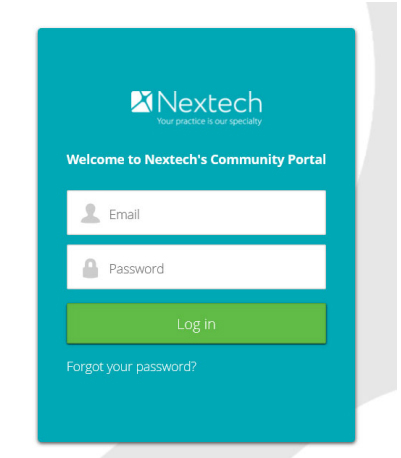
- On the Community Portal home page, click the “ORDER NOW” tab.
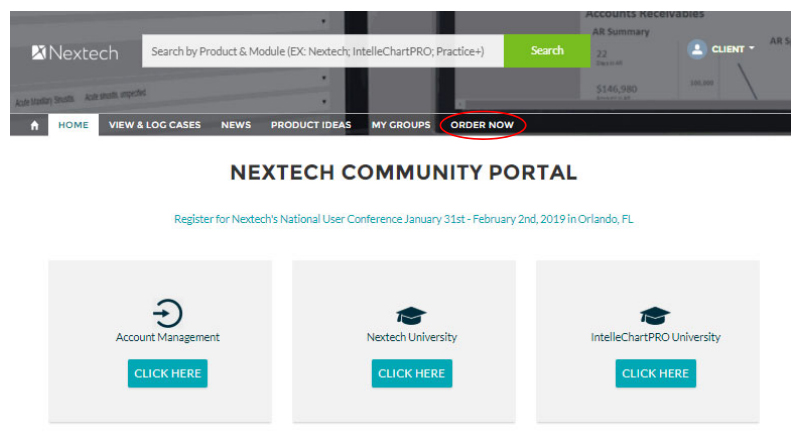
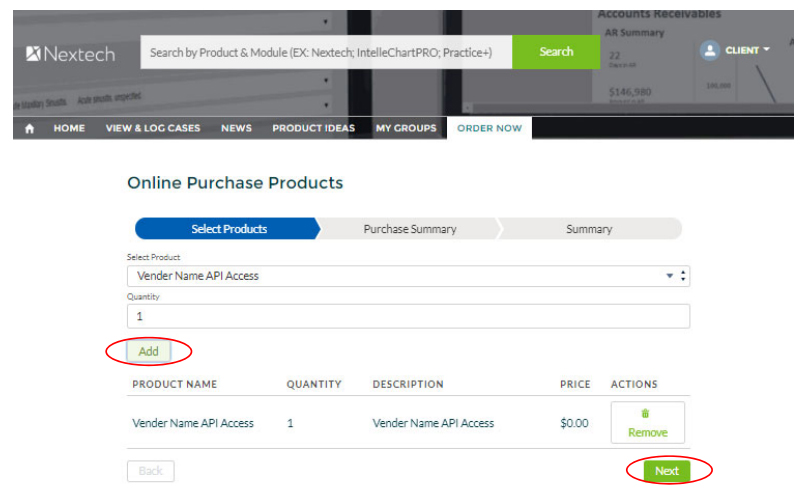
- Once on the Order Now page, click the Select Products dropdown list and select your desired product.

- Click “Add” for quantity then “Next” to proceed.
- Review your Purchase Summary. Click “Next” to proceed.

- Read and click the box under I Agree on the authorization form. Click “Next” to proceed.

- Your Transaction ID will be generated. Click “Finish.” Your order has been sent to our team for review and processing.















