

Education Library
Practice Information
Guide to Adding and Editing Practice Information in Red Spot Interactive’s CRM
- Welcome to Red Spot Interactive’s CRM training series.
- Purpose: Walkthrough on adding and editing practice information in the updated CRM.
1. Introduction to CRM Training 0:00

2. Overview of the Practice Information System 0:27
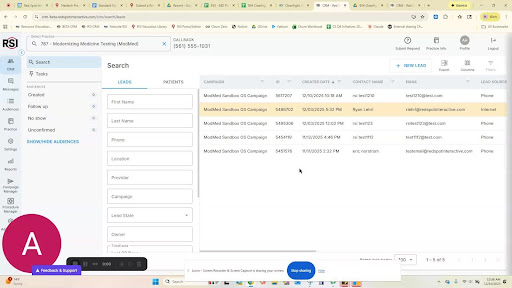
- Definition: A comprehensive digital file for each practice.
-
- Provider details
- Location information
- Procedures and services offered.
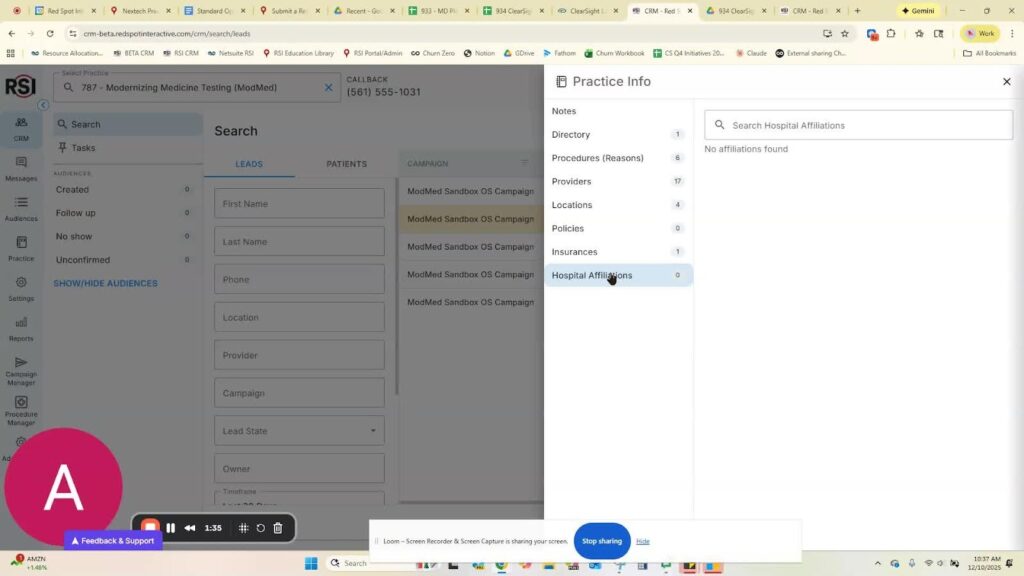
3. Importance of Detailed Practice Information 1:36
-
Benefits of detailed practice information:
- Easier access for team members when interacting with patients.
- Keeps team updated with accurate information.
- Facilitates smoother training for new team members.
- Prepares for future AI-enabled features.
4. Navigating the Updated CRM 2:47

-
Accessing practice info:
- Click on the ‘Practice Info’ button at the top.
- Slide open the tray to view categorized information.
5. Editing Practice Information 2:59
-
Information categories available for editing:
- General notes
- Directory of staff
- Procedures
- Providers
- Locations
- Policies
- Insurances
- Hospital affiliations.
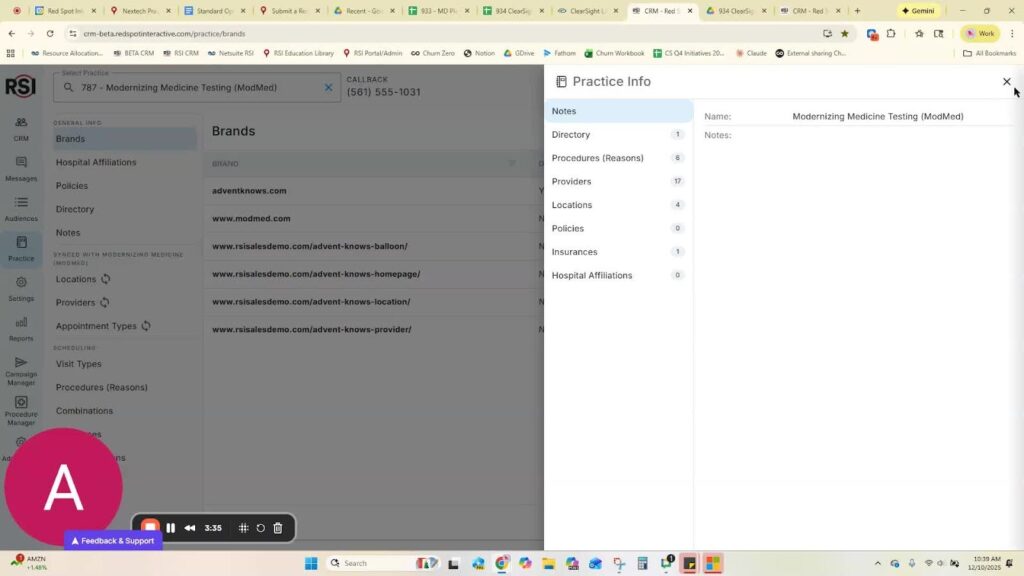
6. Adding Hospital Affiliations 3:36
-
To add a hospital affiliation:
- Type the name of the hospital.
- Click ‘Save’.
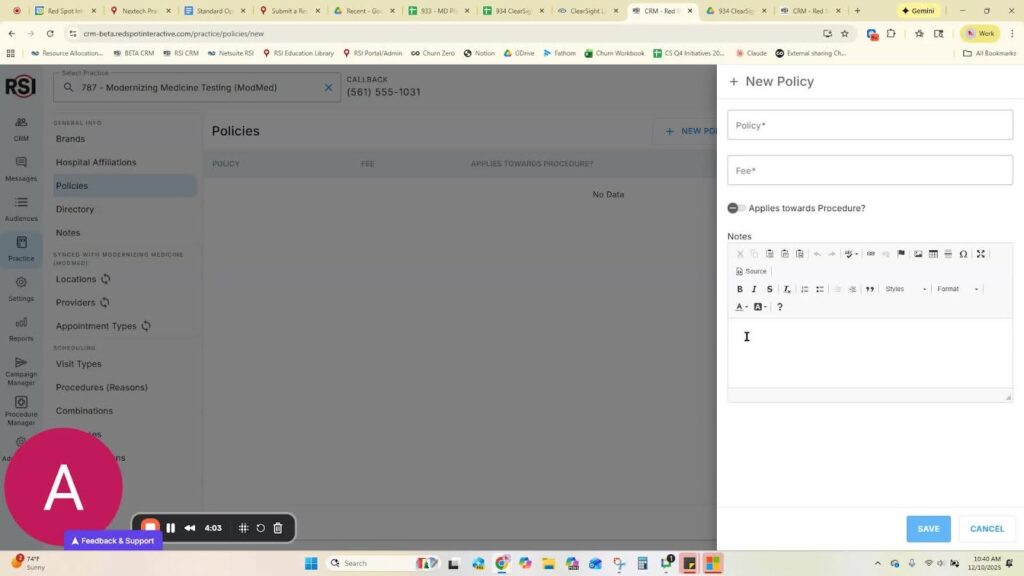
7. Updating Policies 4:04
-
Use the Word doc navigator for detailed policies:
- Formatting options: bold, highlight, italicize.
- Upload HTML for specific policies.
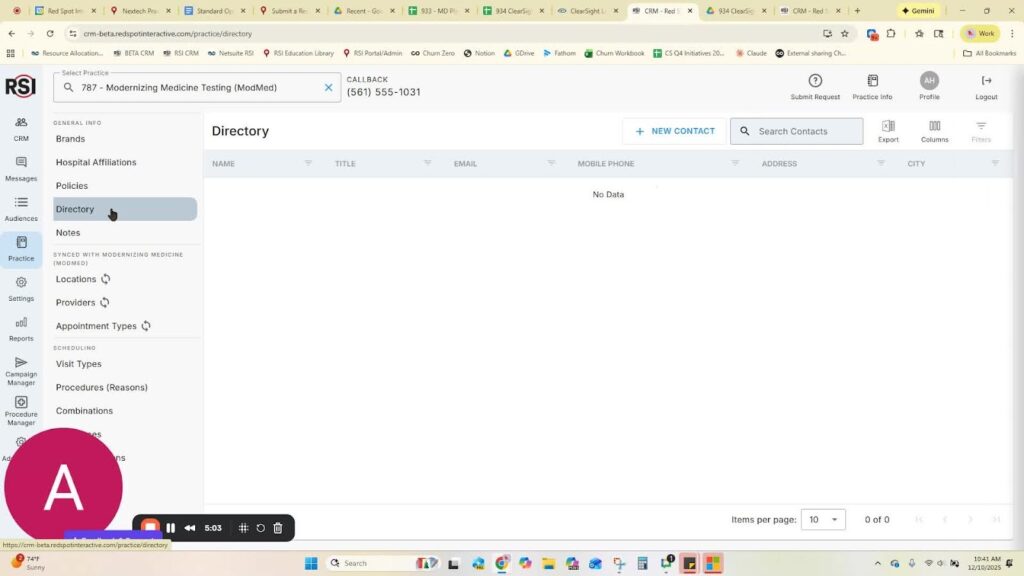
8. Building a Staff Directory 5:04
-
Create a directory of staff:
- Include emails, mobile phones, and addresses.
- Useful for forwarding contact information.
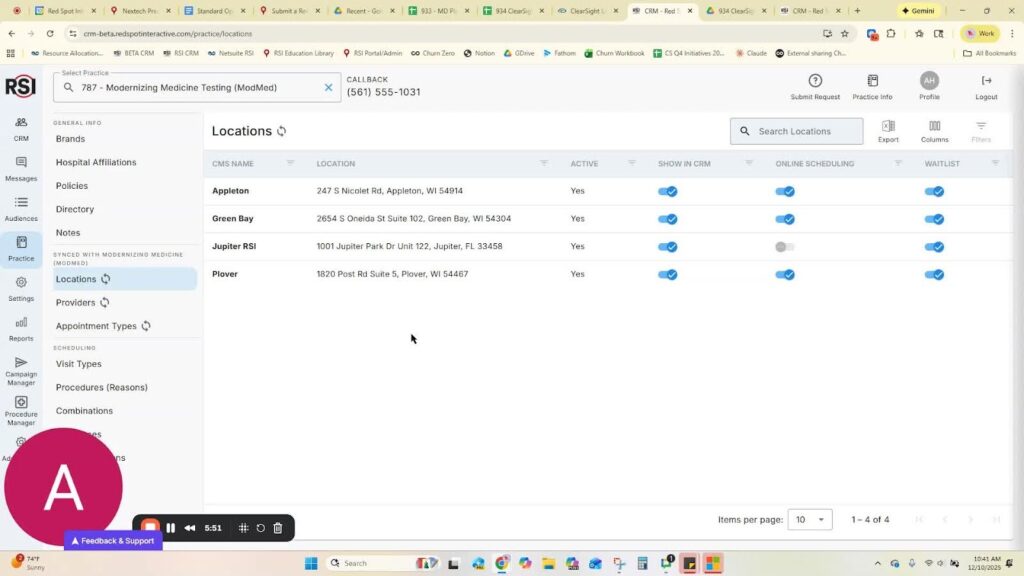
9. Managing Locations 5:52
-
Locations are integrated from the practice management system:
- Active locations are shown by default.
- Toggle visibility in CRM for non-active locations.
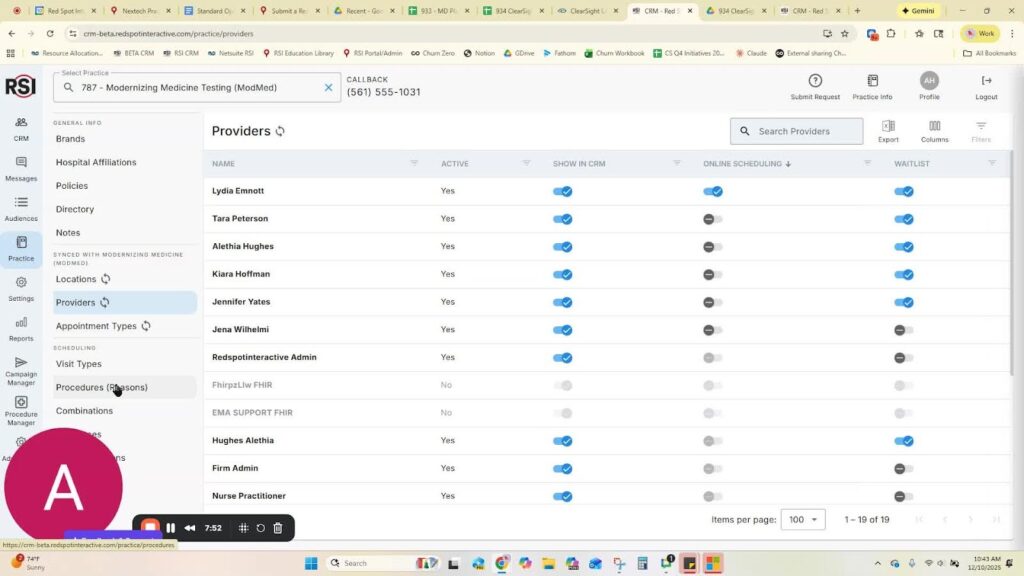
10. Managing Providers 6:44
-
Providers are also pulled from the practice management system:
- Toggle visibility in CRM for active providers.
- Add details about each provider (image, education, notes, bios, insurance lists).
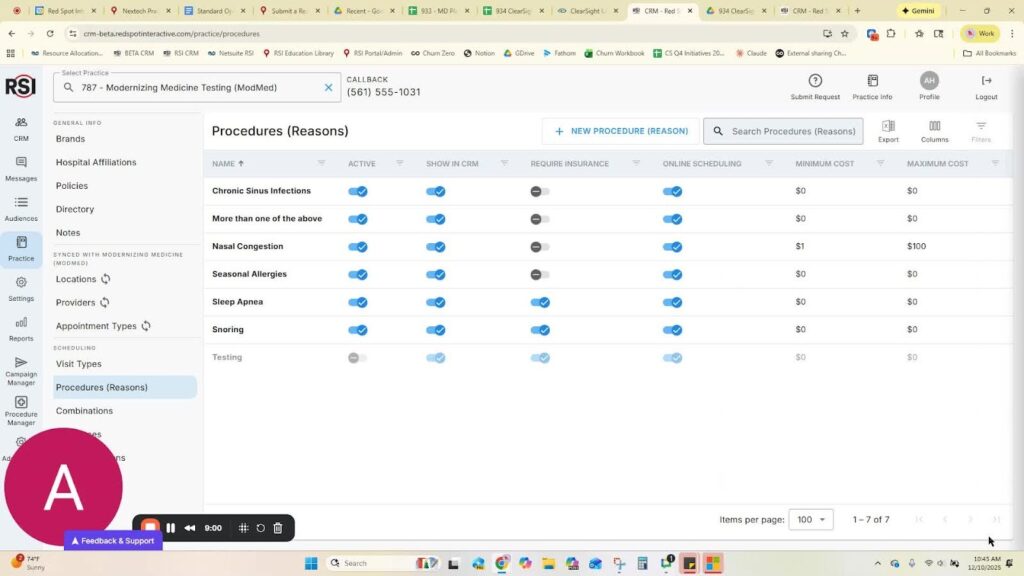
11. Adding Procedures 7:53
-
Procedures can be pulled from the PM or created new:
- Click ‘New’ to add a procedure.
- Include details, pricing, insurance requirements, and online scheduling options.
12. Conclusion and Encouragement 9:01
- Importance of building out detailed practice information.
- Thank you for participating in the training.














