
Patient Scheduling and Intake Software
.webp)
What is patient scheduling and intake software?
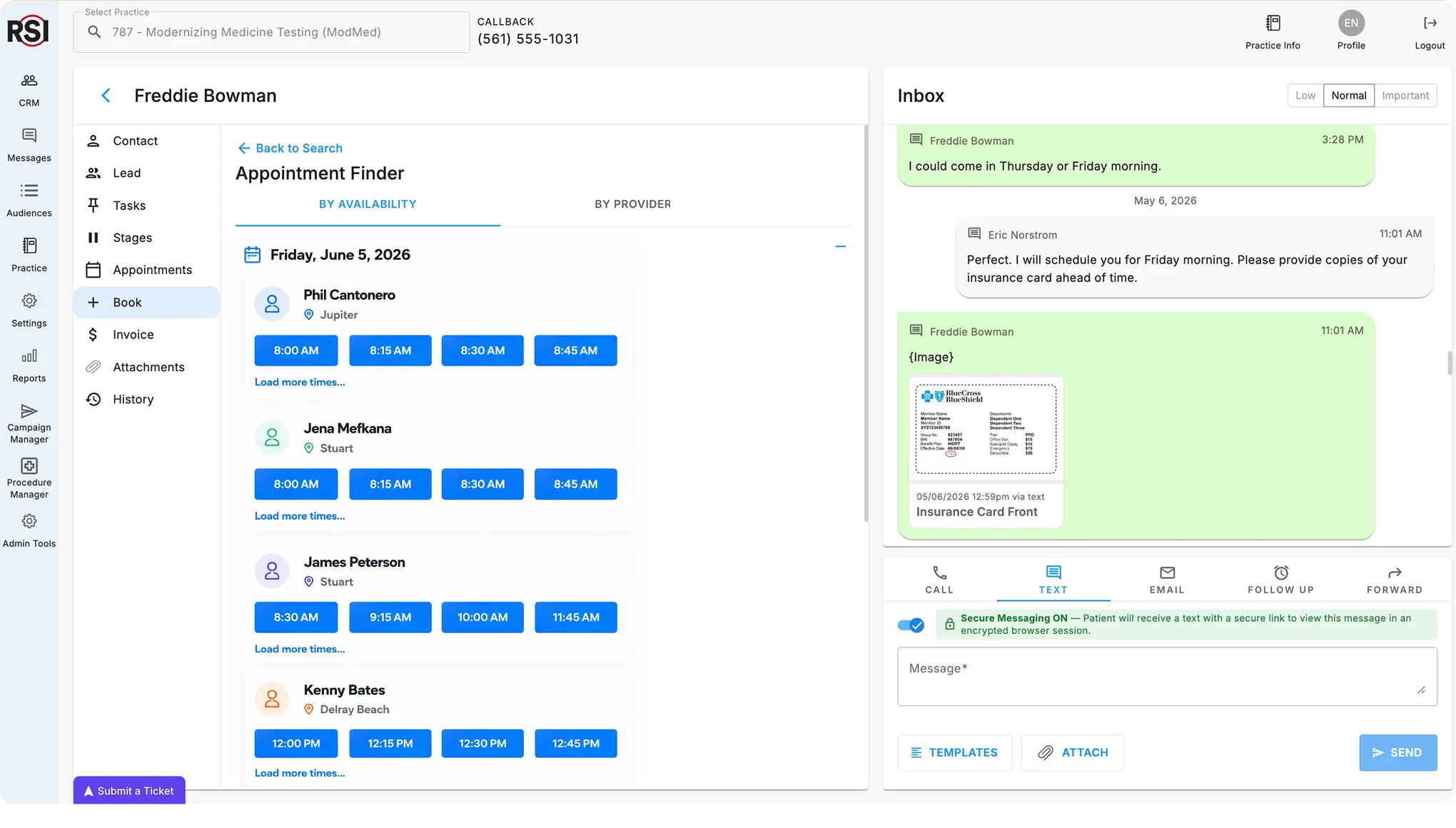
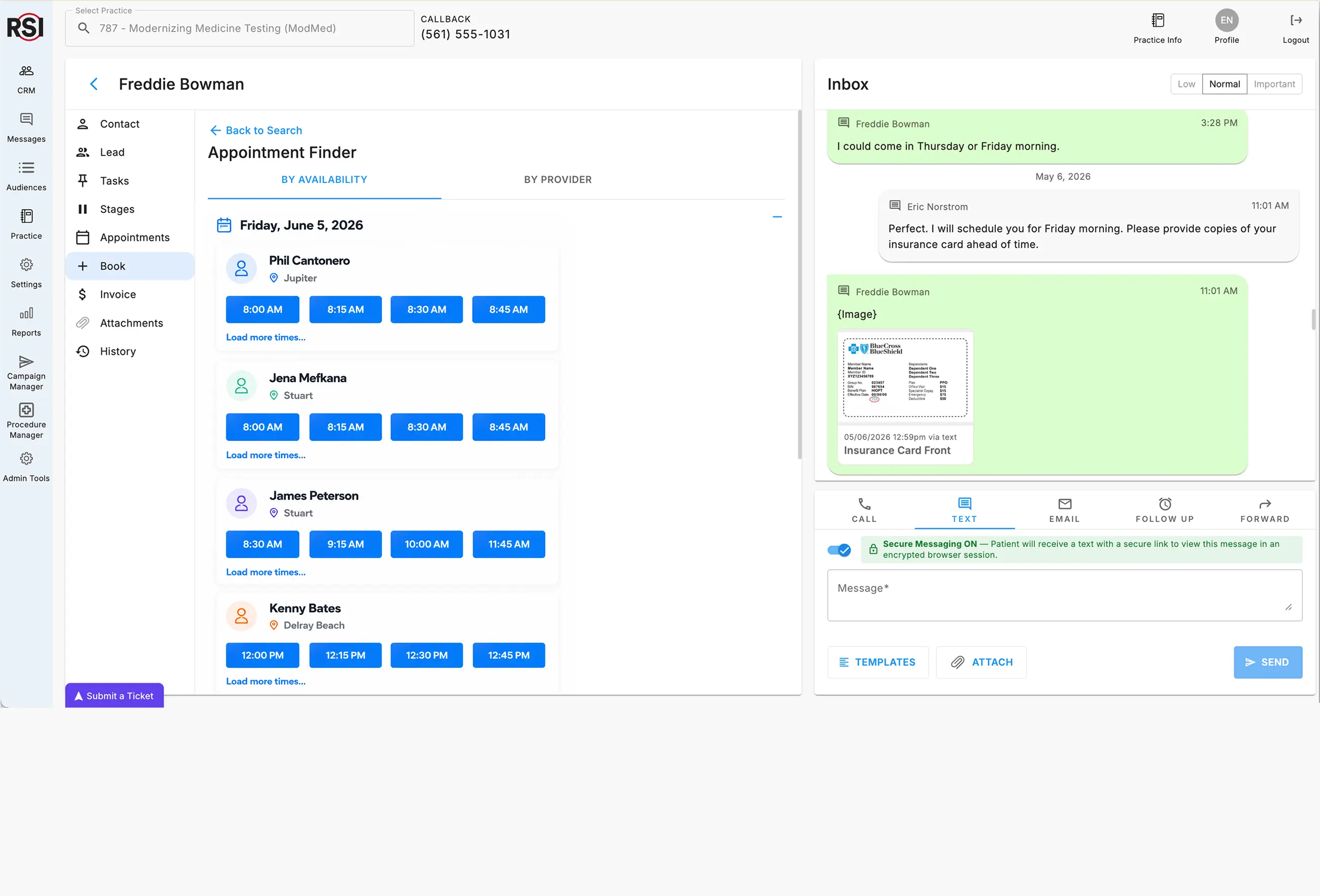
Patient scheduling and intake software allows patients to book, reschedule, and manage appointments online, via text, or through a call center while automatically syncing all activity back to your practice management system, eliminating double data entry and manual overhead. Digital forms synchronize with your PM patient records.

Friction and leakage in the patient journey
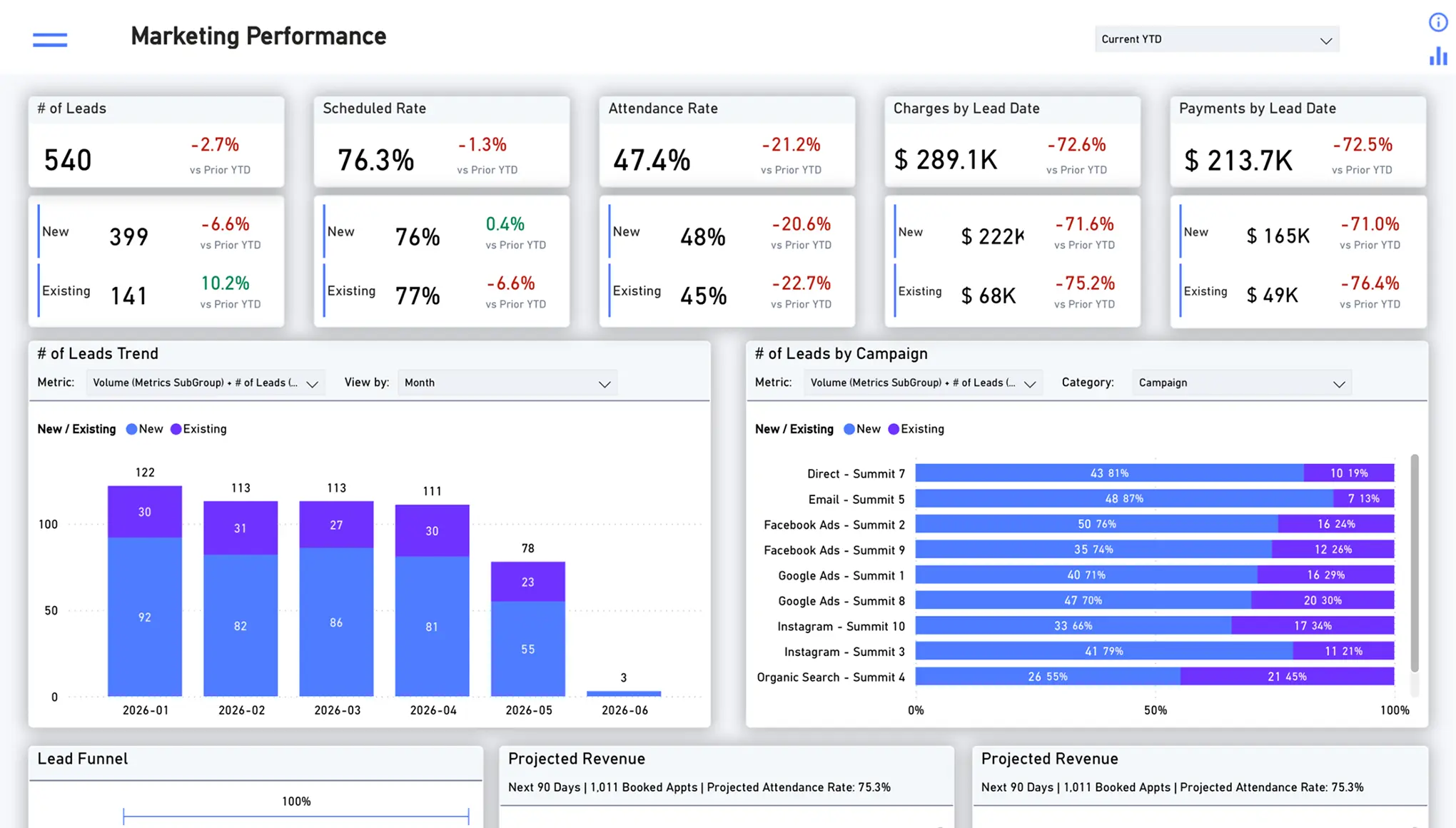
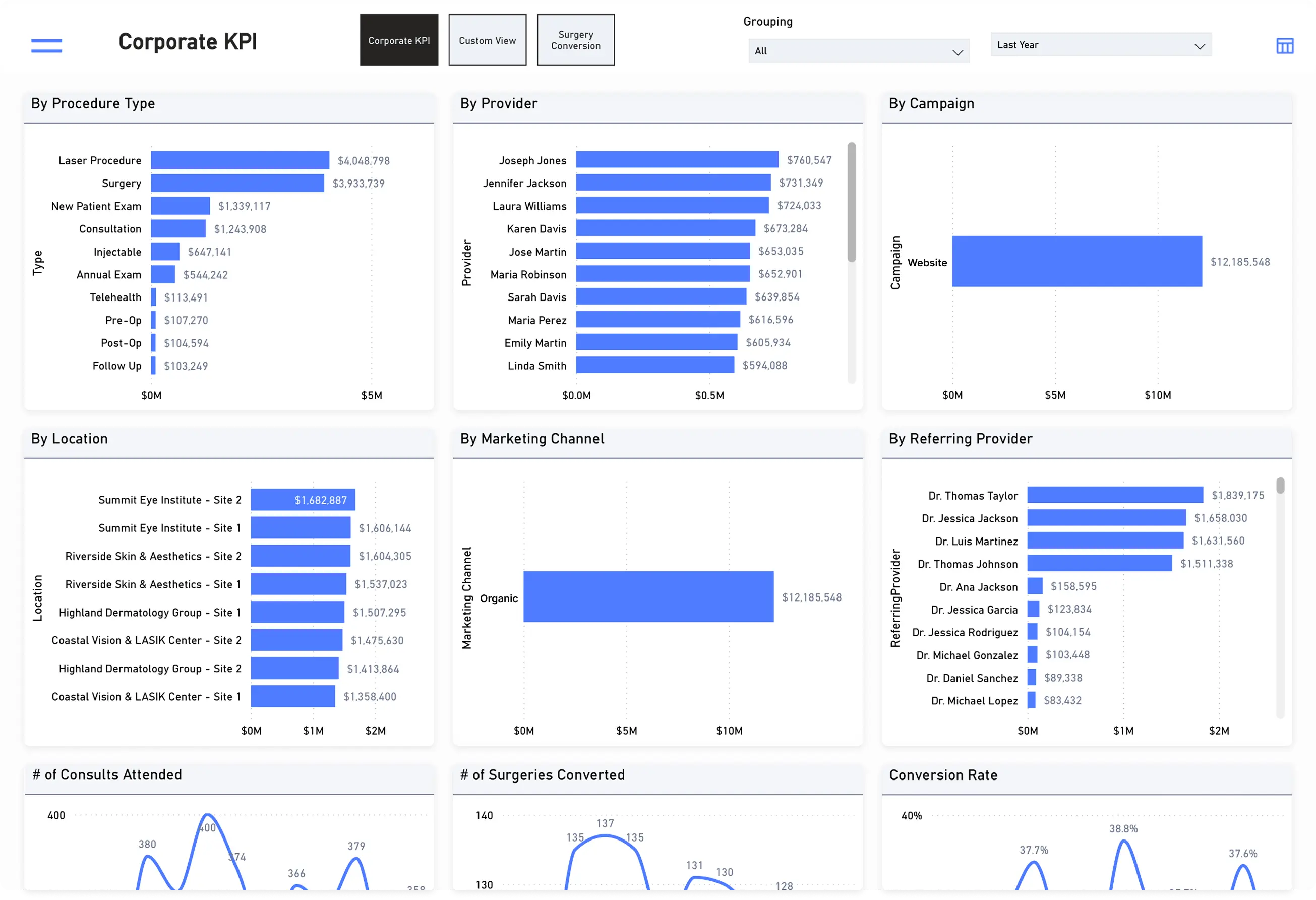
Specialty practices rely on multiple disconnected systems for scheduling, communication, forms, and patient intake. Staff are forced to switch between screens, manually transfer information, and complete repetitive administrative tasks that slow patient access and increase operational costs.
The result is a fragmented patient journey with visibility gaps between departments, increased no-show rates, staff burnout, and lost revenue opportunities.
.webp)
An integrated patient scheduling software for every patient access point
RSI's patient scheduling software acts as your practice's central nervous system, connecting patient access points and siloed departments to create a seamless journey from patient inquiry to attended appointment.
Patient intake and engagement improve through bi-directional synchronization with your scheduling and communication channels, eliminating the "toggle tax" of switching between systems.
Everything you need to simplify patient scheduling and intake
RSI connects every patient access point from appointment scheduling and patient intake to waitlist automation and no-show recovery into one seamless scheduling experience.
Practice management scheduling integration
RSI integrates your practice management scheduling system into every patient access point—from your website and contact center to patient recall and AI-enabled phone and text channels.
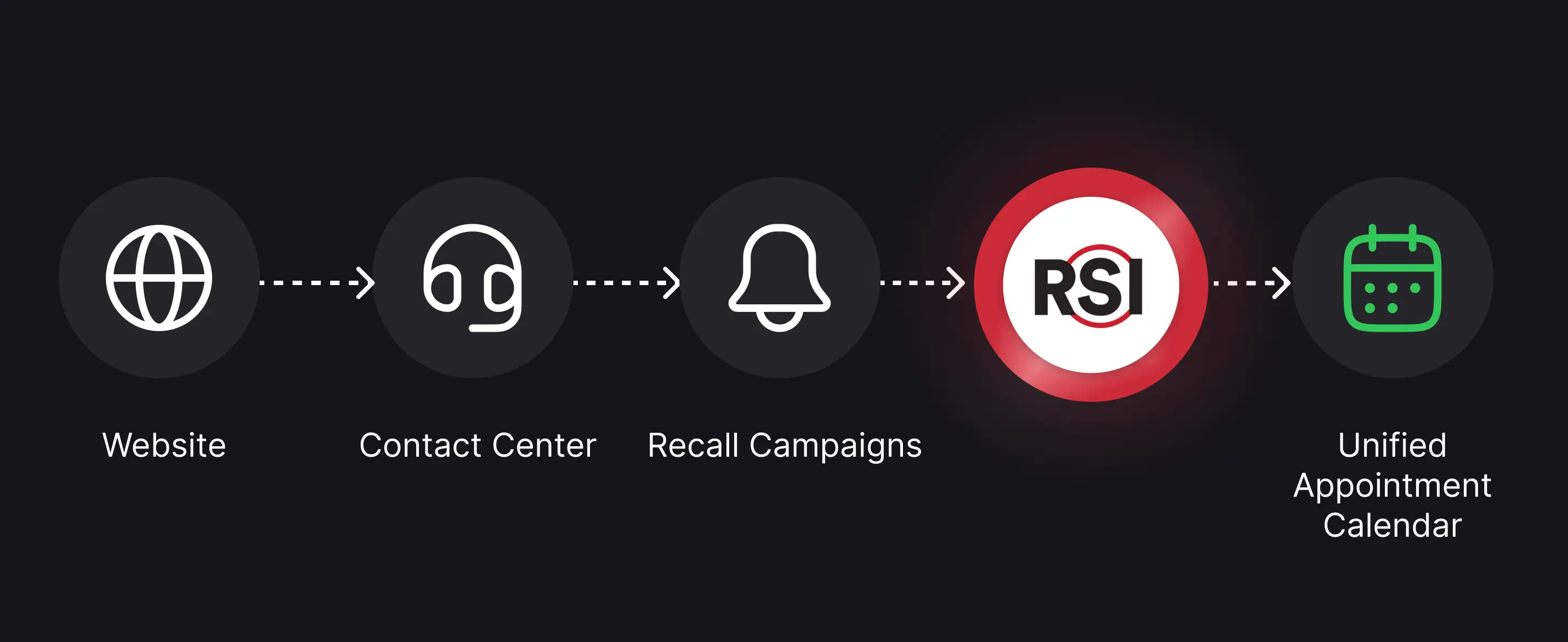
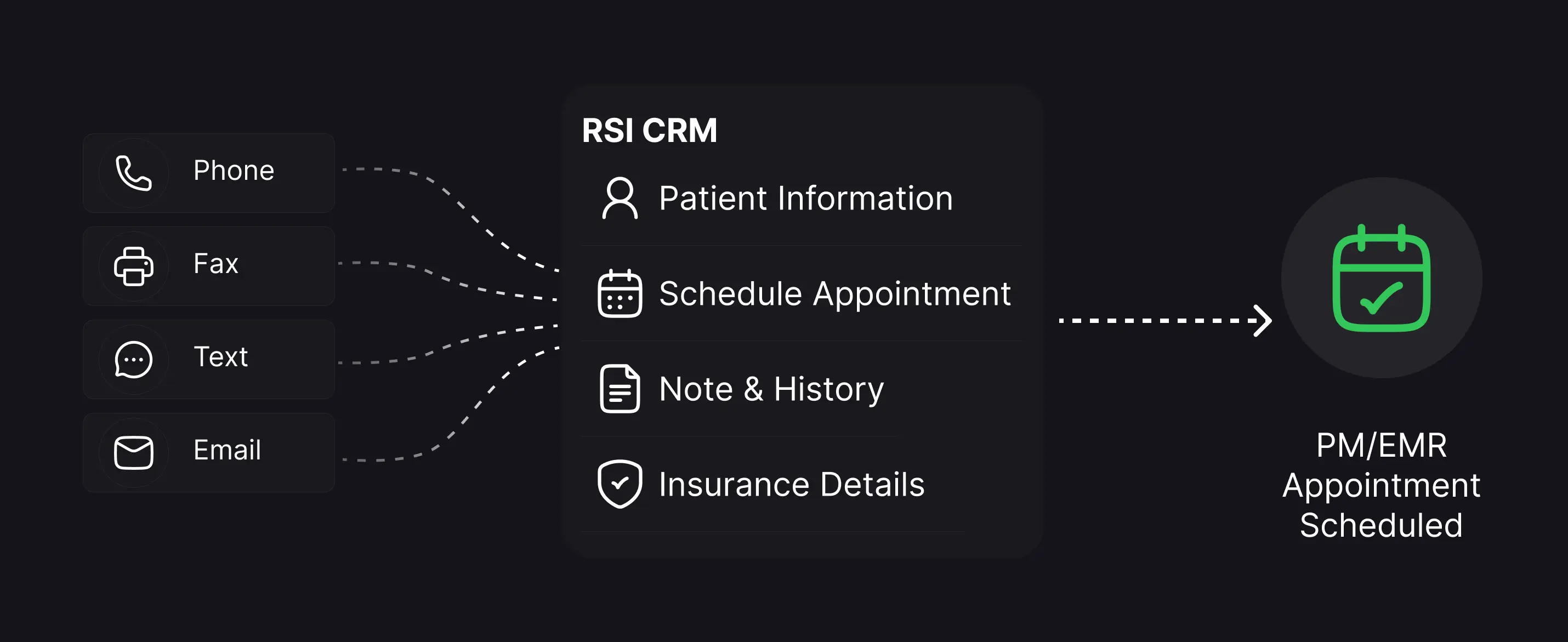
Contact center RSI CRM integration
Eliminate administrative time spent switching screens with single-screen integration between scheduling, contact center, and RSI CRM software.
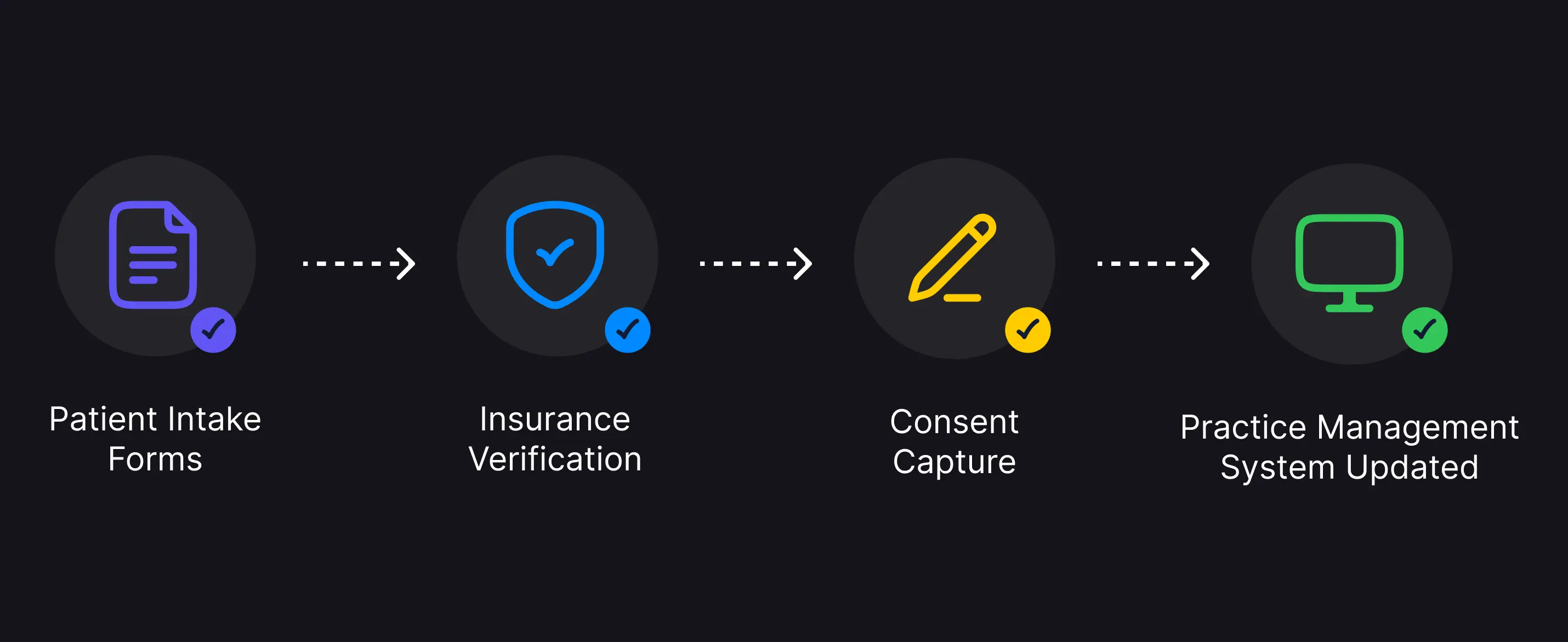
Forms & insurance verification integration
Automatically collect patient intake forms and insurance verification with direct synchronization to your practice management system.
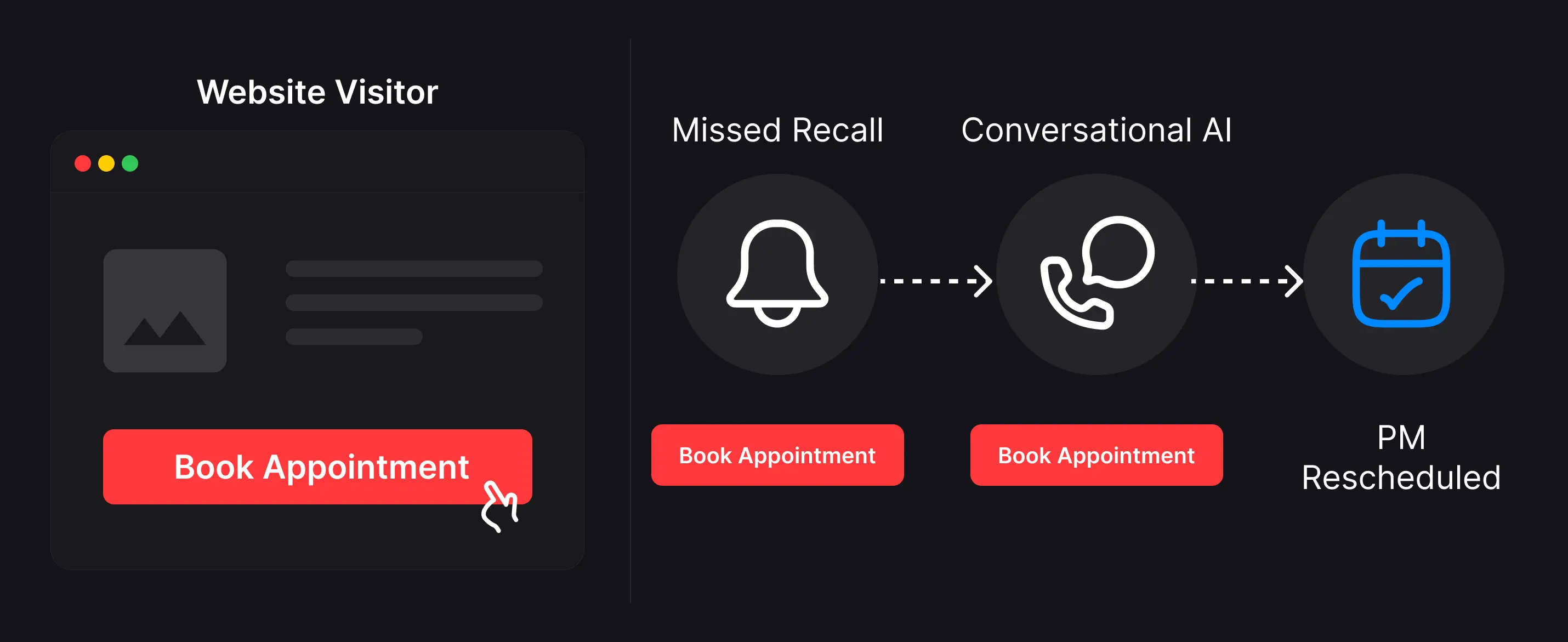
Website and patient recall targeting
Provide first-available scheduling by website page, patient recall campaigns, and AI conversations to increase conversion at every patient access point.
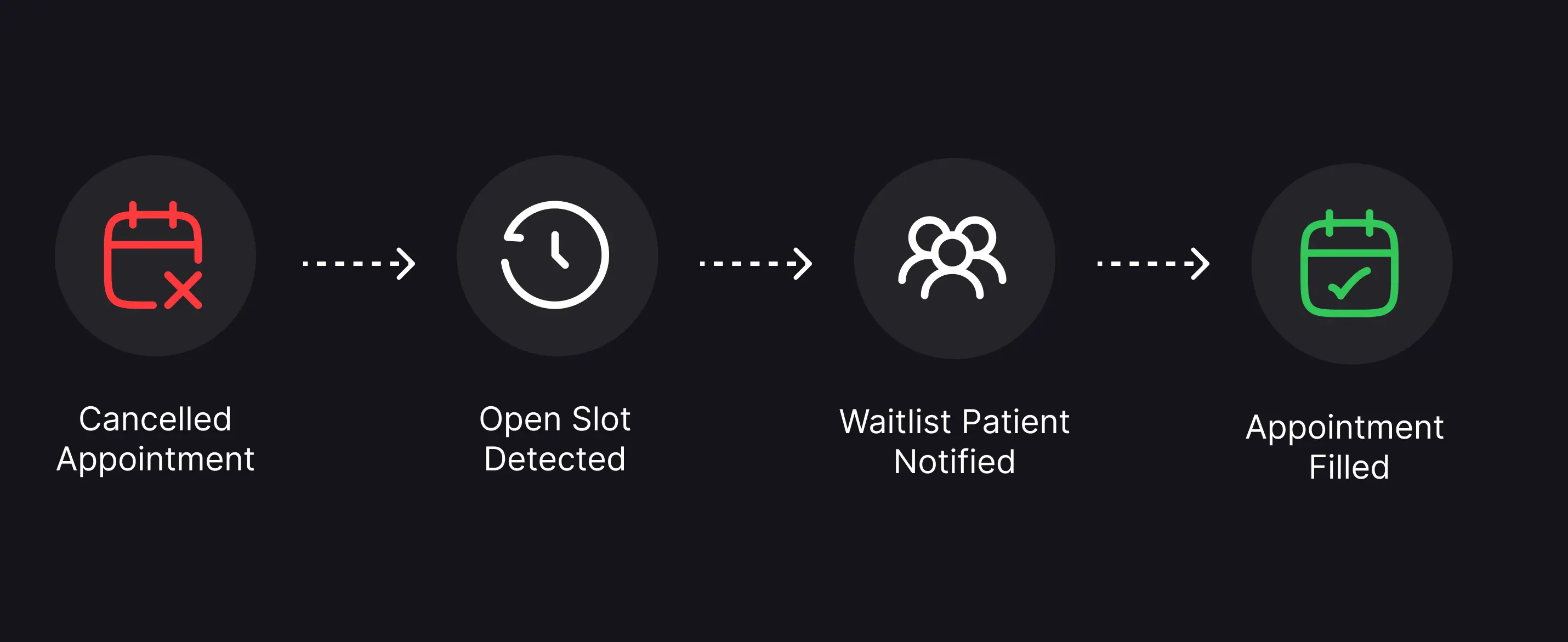
Smart waitlist automation
Automatically detect cancelled appointments and instantly offer openings to waitlisted patients, recovering lost revenue through automated scheduling.
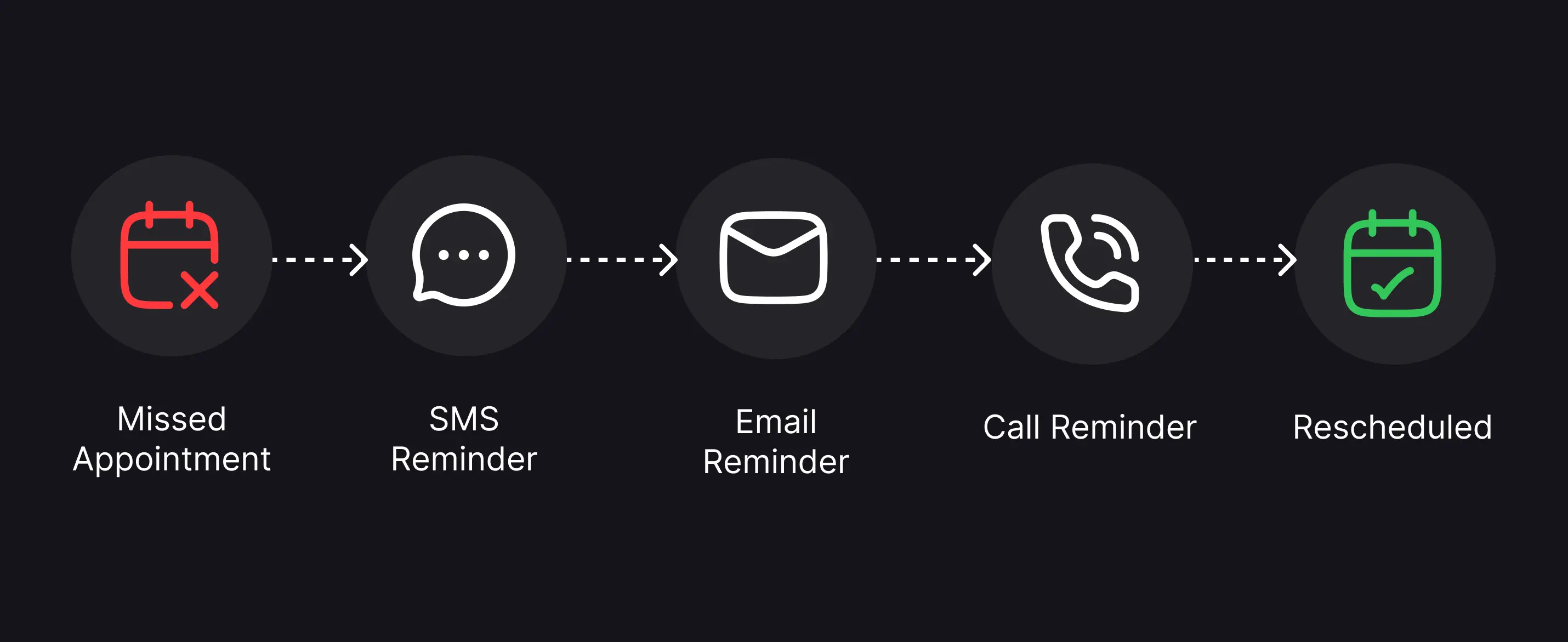
No-show recapture sequences
Automatically trigger rescheduling campaigns for missed appointments and recover lost revenue without manual staff intervention.
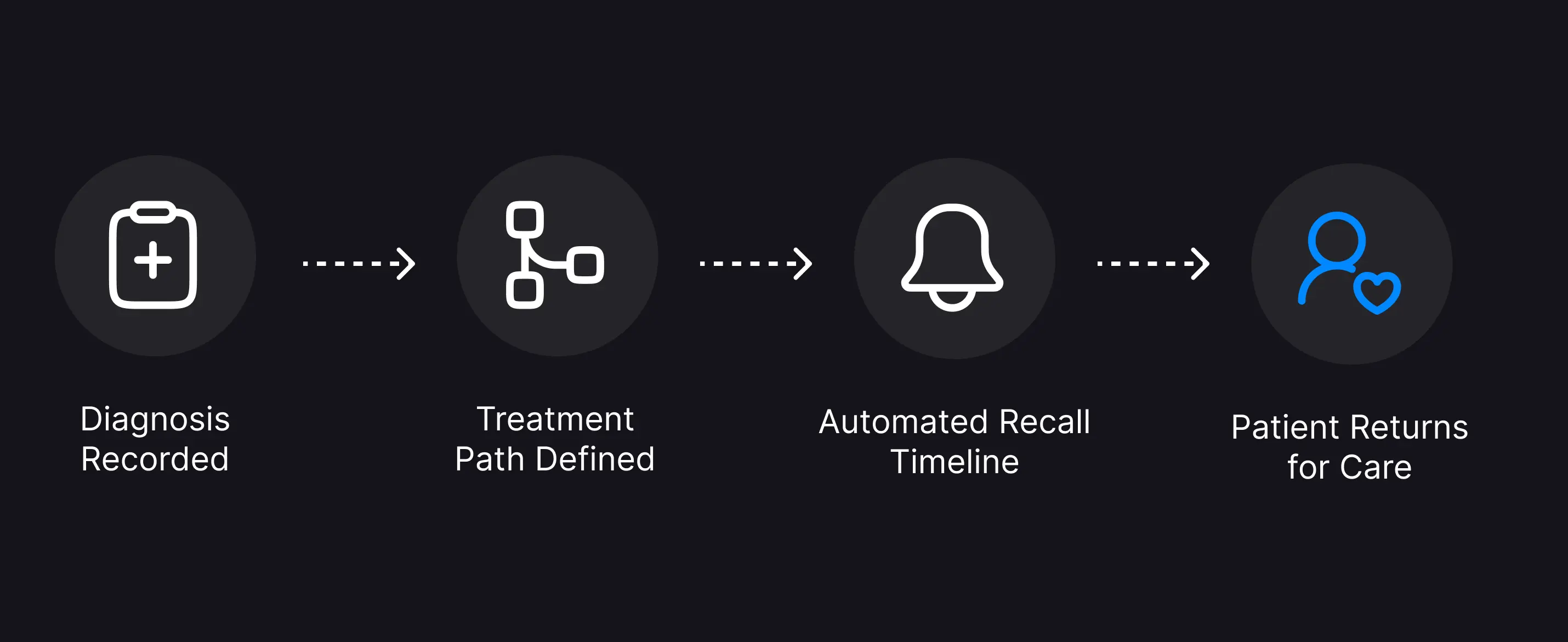
Diagnosis and treatment path based recall reminders
Replace manual outreach with intelligent reminders and digital scheduling triggered by diagnosis codes or customized treatment paths.
Got questions? We're here to assist
What is patient scheduling and intake software?
How does RSI's patient intake software reduce no-shows?
Can patients schedule appointments on their own 24/7?
Does the scheduling platform integrate with my existing practice management system?
How does patient scheduling software reduce administrative work?
What is smart waitlist automation?
Can RSI automate patient intake forms and insurance verification?
How does RSI help improve appointment conversion rates?
How does patient recall automation work?
Can RSI help recover revenue from missed appointments?